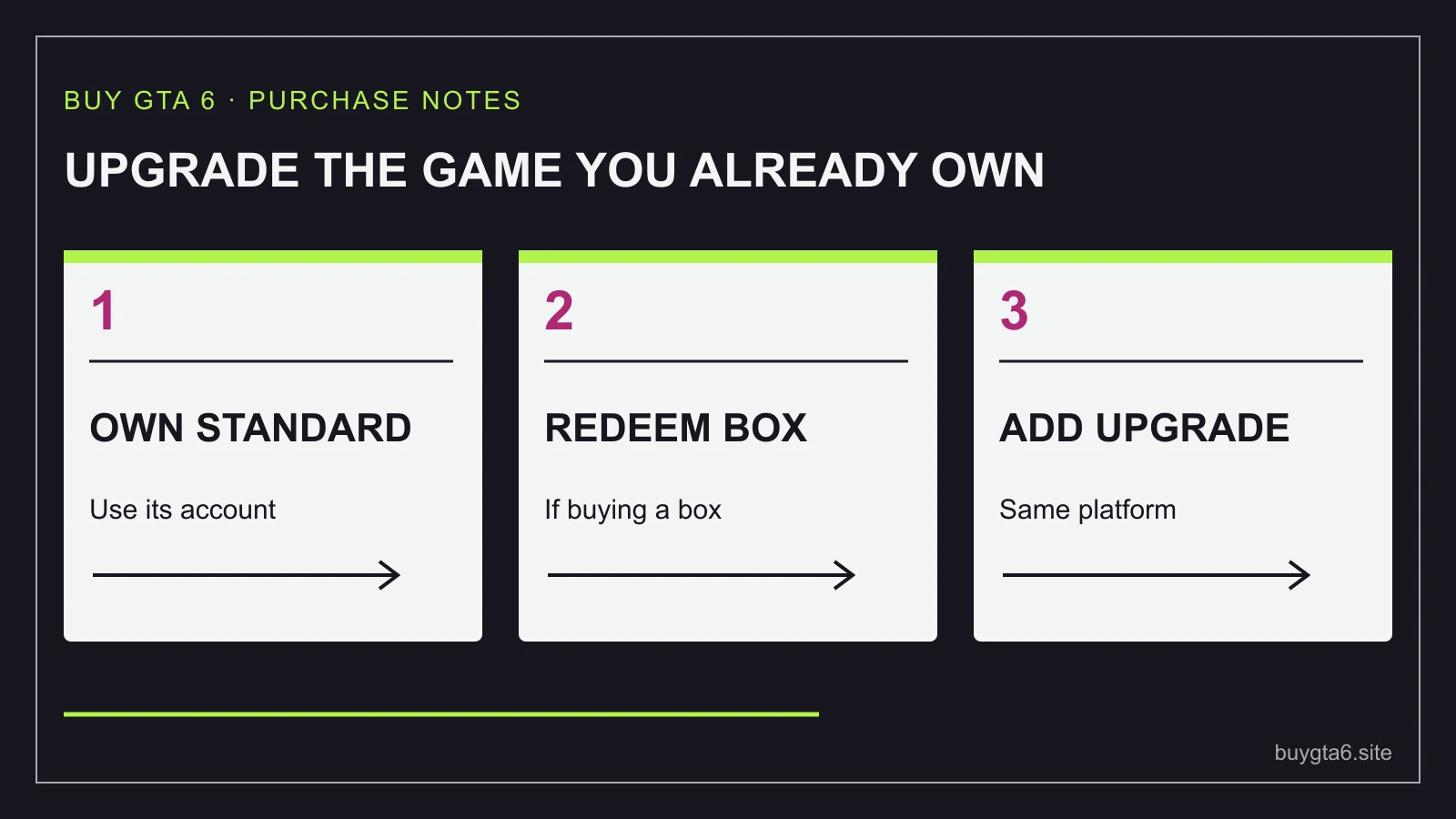
If you own GTA 6 Standard and want the Ultimate extras, look for the separate Ultimate Edition Upgrade. Buying the complete Ultimate edition again is a different purchase because it includes the game you already bought.
For a physical Standard purchase, Rockstar says to redeem the game code first, then buy the digital upgrade from the PlayStation or Microsoft store. Keep the base game and the upgrade together on the intended platform and account. A box sitting on your shelf does not yet tell the store which account owns its contents.
This guide follows that purchase from the first check to the final receipt. Official product information was checked on 14 October 2026. It is a buying guide, not a promise that any incorrect purchase will be refunded or that every later upgrade will have today's price.
First, find out what you already own
Start with your order history, not a search for the cheapest upgrade. Find the GTA VI purchase and read its full name. You may have Standard, the full Ultimate edition, an unredeemed game code, or merely an order that has not delivered its code yet. Those are four different situations.
If you already own Ultimate, buying its upgrade again is not the next step. Check the product's included items and your purchase record instead. If you cannot see an expected extra, you need to find out why it is missing rather than assume you need to pay again.
If you ordered Standard in a box, check whether you have received and redeemed its game code. Before redemption, your retailer's receipt proves a purchase from the retailer. It does not by itself establish ownership inside your platform account. Do not skip that difference when planning the next payment.
For a digital Standard purchase, confirm that it appears in the account you intend to use. A household may have several accounts signed into the same console. The fact that a game tile appears on screen is not enough to tell you which one made the purchase.
Write down three details: the account that owns Standard, the console platform, and whether the base-game code has been used. You do not need a complicated form. A private note with those details prevents a surprising number of wrong purchases.
| What you have | Next useful check |
|---|---|
| Digital Standard on the intended account | Find the compatible separate upgrade |
| Standard code still inside a box | Confirm the account and redeem the base code first |
| Full Ultimate edition | Check included content before making another purchase |
| A retailer preorder awaiting delivery | Wait for the base-game handover and keep its order record |
Know an add-on when you see one
An add-on is extra content that needs the main game. The official Xbox Ultimate Edition Upgrade page says that a game is required and sold separately. That warning is useful: it tells you this product is not a cheaper standalone copy of GTA 6.
Read the whole title, not just the words Ultimate Edition. Search results can place the full edition and the upgrade close together, and their pictures may look similar on a small screen. Look for Upgrade in the product name and a description of the required base game.
Then read what is included. The complete Ultimate edition includes GTA VI plus the upgrade content. The upgrade is the extra part for someone who already has the game. If the cart contains another full edition, stop and change the item before paying.
Price is a helpful clue but not proof. An unusually low item could be an add-on, a voucher, merchandise or something unrelated to the game licence. Product contents are what settle the question. Use the GTA 6 offer check when the description leaves you guessing.
Be equally careful with a store page that says you already own something. That message may refer to the base game rather than every available extra. Read the exact item and the purchase history together. Avoid making assumptions from a single button label.
For a boxed purchase, follow the steps in this order
- Confirm that the unopened or delivered item matches the platform and account region you intended to buy for.
- Sign into the account that should own GTA VI. Check its identity before entering the code.
- Redeem the Standard game code through the platform's normal redemption screen.
- Confirm that the game purchase or entitlement appears on that account.
- Open the separate Ultimate upgrade in the matching platform store and read the product details.
- Check the final amount, then complete the upgrade purchase if you still want it.
- Keep both records: the base-game handover and the upgrade receipt.
Doing one step at a time makes an error easier to spot. If redemption fails at step three, the next step is resolving that failure. Buying extras will not make a wrong-region or invalid base code become valid.
Do not test the base code on a different account just to see whether it works. A successful redemption may place the licence somewhere you did not intend. Choose the owner first. If this is a present, let the recipient make that ownership choice before redemption.
A physical box can feel like a familiar disc purchase, but GTA VI's announced box contains a download code. For the format details, see what is inside the GTA 6 box. Here, the key consequence is the order of operations: establish the base game on the intended account before adding the upgrade.
If the code does not work, record the error without posting the full code publicly. Our code-not-working guide helps you gather the right information for the seller or platform support.
Keep the platform and intended owner together
A PlayStation purchase and an Xbox purchase are different store transactions. Do not buy an Xbox add-on for a PlayStation base game because a search result shows a cheaper amount. The upgrade's name does not make it a universal item.
The safest simple route is to buy the add-on through the platform account that owns the base game. If your household uses console-sharing features, do not turn a general sharing arrangement into a guess about who should buy this extra content. Check the platform's current rules for your specific setup before involving another account.
For a gift, upgrading the game on your own account is not a substitute for giving the recipient a suitable purchase. Ask which account owns their copy first. You can keep the surprise about the gift while still asking a practical question about the platform. The gift guide covers ways to avoid sending the wrong thing.
Be careful if you bought the base code from another country. Check both the code's suitability and the current store's add-on information rather than assuming a successful payment means the whole combination will work. The account-region buying guide explains why where you shop and where the account is registered may differ.
Never give a seller your password so they can 'apply' an upgrade for you. You should be able to complete a normal purchase or redemption through the official store while staying in control of your account. A service that needs your sign-in details is a different and much riskier proposition.
Compare the total route before your first purchase
If you have not yet bought the game, compare two routes: suitable Standard plus the separate upgrade, and the suitable full Ultimate edition. Include tax, delivery and any collection expense that really applies. You are comparing the cost of reaching the same intended ownership, not simply the cheapest number on a page.
The calculation is easy: Standard final total plus upgrade final total equals the cost of the two-purchase route. Compare that with the final Ultimate total. Do not assume the two routes always match. A retailer's offer can change one part of the sum while the platform store sets the other.
As a dated observation, the US Xbox pages checked on 14 October showed US$79.99+ for Standard, US$99.99+ for Ultimate and US$20.00 for the upgrade. That example shows why checking the two routes is worthwhile; it does not establish your tax-inclusive price or a future offer.
Suppose, in an invented example using one currency, a retailer's delivered Standard total is 76 and the compatible upgrade total is 24. Your route totals 100. If complete Ultimate would cost 105, the two-purchase route saves 5. Now ask whether that saving is worth managing a code delivery and a second transaction. There is no universal answer.
If you already own Standard, calculate the new spending needed from this point. Its original price is money you have already spent. Paying for another full game just because the full edition once looked attractive can turn a small upgrade decision into a much larger bill.
Unused store credit can affect the amount of fresh cash needed, but treat it honestly. It is still money you could use for something else. Rewards, cashback or refunds should not be counted until their terms and eligibility are clear. A possible saving is not the same as a confirmed saving.
After paying, check the receipt before looking for every extra
Your first check is the purchase record. It should name the upgrade and show the intended account's transaction. Save the record privately. If a payment confirmation arrives but the order looks wrong, you have a concrete item to show support.
Next, look at the platform's game and add-on management screen for any required installation or availability information. Follow the instructions shown for that product. Do not assume a payment always means every item becomes visible immediately inside a game.
Rockstar describes the Ultimate content as tied to story progress. That matters when you are trying to distinguish a missing purchase from an item you have not reached. Check the current description and its conditions before concluding that the upgrade has failed.
If something still appears wrong, separate the problem into a clear sentence: 'The purchase does not appear on this account', 'The add-on is not shown as owned', or 'The add-on is owned but a named item is not available at the expected point'. These are more useful support descriptions than 'Ultimate does not work'.
Keep passwords, payment details and full unused codes out of public screenshots. Share only what the official support channel needs. Our receipt guide explains which records are useful to preserve.
If your situation does not fit the simple route
I bought the full edition twice. Will one payment be refunded?
Do not assume so. Check the seller's current rules and ask through its official support route before using or redeeming more content. The cancellation and refund guide is the next step. A duplicate purchase is not a guaranteed automatic refund.
I ordered a box but the upgrade is visible now. Should I pay first?
Follow Rockstar's stated sequence for physical buyers: redeem the base-game code first. That also lets you confirm the intended account owns the game before making the second purchase.
Do I need the upgrade to start playing?
The upgrade is an extra-content purchase. Decide whether those additions appeal to you. The Standard vs Ultimate comparison is more useful than treating an add-on as a required shopping step.
What should I do if I am still unsure?
Keep your base-game purchase intact, note the current upgrade total, and decide what extra content you actually want. The upgrade route is there to add something you value. There is no reason to create another payment merely to finish a shopping checklist.
Sources and references
- Rockstar: GTA VI edition and upgrade sequence ↗
- Xbox Store US: Ultimate Edition Upgrade ↗
- Xbox Store US: edition comparison ↗
- PlayStation: keeping account details private ↗
Sources checked 14 October 2026. Follow your exact order for current collection instructions.